


Your records, answering questions. AI assistant, MCP connector and REST API
Ask the assistant in the console, connect your own AI client, or call the API. The assistant and the connector are switched on separately; the API comes with the paid plans.
Ask the assistant in the console, connect your own AI client, or call the API from your systems.
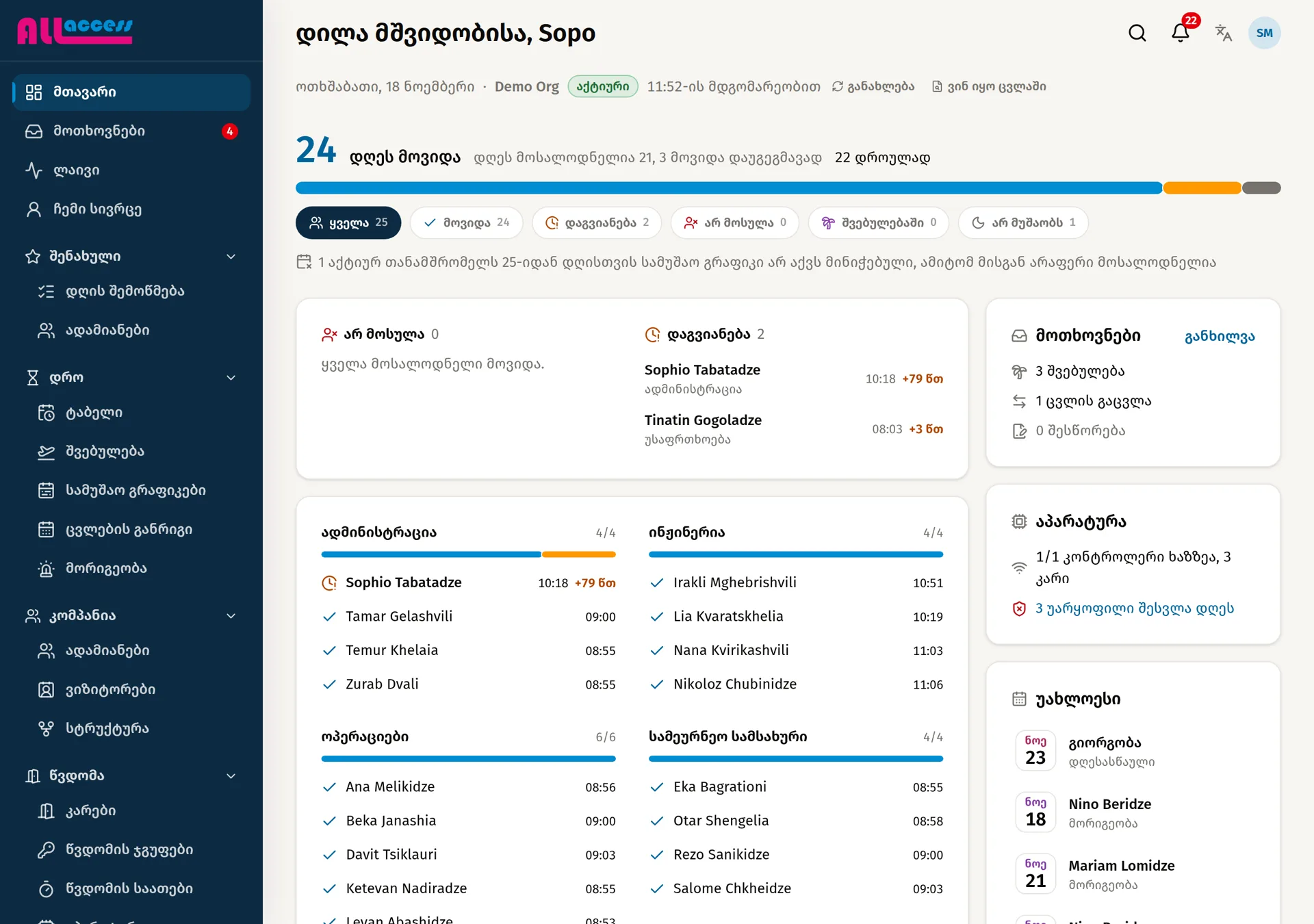
Right now 18 people are in the building, across four departments:
The last to come in was Nikoloz Chubinidze, at 11:06.
AI assistant
An ask bar at the top of the console, with the answers opening beside your work.
- Ask in your own words. The answer appears on screen as it is written.
- It answers from your organization's records: people, attendance, leave, doors and more.
- It can prepare changes: a leave request or a decision on one, a timesheet export, door access for a person or a group, group members, a card, or a single remote door opening. Each one is shown to you first and happens only when you confirm it, under your own permissions. Access changes and a remote opening also need your password. It never acts on its own.
- Use is metered against a monthly allowance.
 Ask
2 people were late today.
The other 22 arrived on time.
MCP connector
Your organization, inside the AI client you already use.
- Add ALL access as a connector in Claude or ChatGPT and sign in with your own account. Any other MCP client can connect too.
- It offers the same reading tools the assistant uses, so both answer from the same data. The connector only reads.
- Each person connects as themselves. They can ask only about what they are permitted to see in the console.
Right now 18 people are in the building, across four departments:
The last to come in was Nikoloz Chubinidze, at 11:06.

- Read-only
- With the user’s permissions
REST API
For payroll, reporting and whatever else you run alongside us.
- Version 1 has read endpoints for people, departments, attendance, punches, leave and doors.
- Keys are created in the keys console. Each key carries only the scopes you give it, and an expiry date.
- Requests are rate-limited, and the API is versioned against an OpenAPI contract, so an update cannot quietly break your integration.
The API reference opens with your API key and shows exactly what that key can call. Not a customer yet? Get in touch and we will walk you through it.
GET /api/v1/attendance-days?from=2026-11-18Authorization: Bearer ••••••••••••••••200 OK{ "data": [ { "date": "2026-11-18", "employee_name": "Sophio Tabatadze", "department_name": "Administration", "late": true, "late_minutes": 79, "worked_minutes": 94, "missed_punch": false },
Who can use it, and with what rights
The assistant and the MCP connector stay off until we switch them on. Access is decided in four steps, and permissions are checked on every call.
-
We switch the feature on for your organization
The assistant and the MCP connector are switched on separately, on request. The API comes with paid plans.
-
Your administrator chooses the people
Using the API, connecting an AI client and asking the assistant are separate permissions in your roles. Give each one only to the people who need it.
-
Every call is checked against that person
A question or a request runs with the permissions of the person behind it. If they cannot see leave requests in the console, they cannot read them here either.
-
Assistant and MCP reads are on record
The audit log shows each time the assistant or an MCP client reads data: who, which kind of data, through which channel and, for MCP, with which key. It records the lookup, not the wording of the question. The keys console shows how each API key is used.
An audit trail that shows how the data was reached
Every time the assistant or the connector reads your data, the lookup is added to the same tamper-evident audit log as everything else in your account. Each entry names the person, the kind of data and the channel, and an MCP entry also names the key that was used, so you can tell a person working in the console from an AI client. For the API, the keys console shows how each key is used, and you can switch a key off at any time.
Each entry names its channel:
- AI assistant
- MCP client
- Web session
The controls stay with you
- Consent before the first question
The assistant sends nothing to the AI model until one of your administrators has accepted its data-processing terms in the console. That acceptance can be withdrawn later.
- Data that is never sent
Email addresses, phone numbers, personal ID numbers, full card numbers, biometric data and the contents of documents are withheld from the AI model, whatever is asked.
- Keys that expire
Every API key has limited scopes and an expiry date, and you can revoke it at any moment.
- A monthly allowance
Assistant use is metered against a monthly allowance for your organization.
- Isolated in the database
Your organization's data is kept apart from every other organization's by the database itself, on these channels as everywhere else.
What it does not do
- The assistant never acts on its own. A change it prepares happens only after you confirm it, and only if your own permissions allow it. An access change or a remote door opening also needs your password. The MCP connector only reads.
- It never opens a door on its own. A remote opening is one you asked for and confirmed: their number is limited, the command goes only to a controller that is reporting, and it is recorded. The access decision at the door stays with the controller, and emergency exit is hardware.
- Nobody sees more through AI or the API than they already see in the console.
- There is no public API reference and no shared key. Everything starts from a signed-in account in your organization.
Put every door under one system.
Start free with mobile check-in today, or book a call and we will plan your doors with you.